Date Difference Calculator – Days Between Dates
Need to find the time between two dates? Our Date Difference Calculator instantly shows the difference in years, months, weeks, and days. Just enter a start and end date to get accurate results.
ⓘ Calculation includes both the start and end dates.
Results
How to Use This Date Difference Calculator
Getting the exact span between two dates is simple with this tool. Here is a quick step-by-step guide:
-
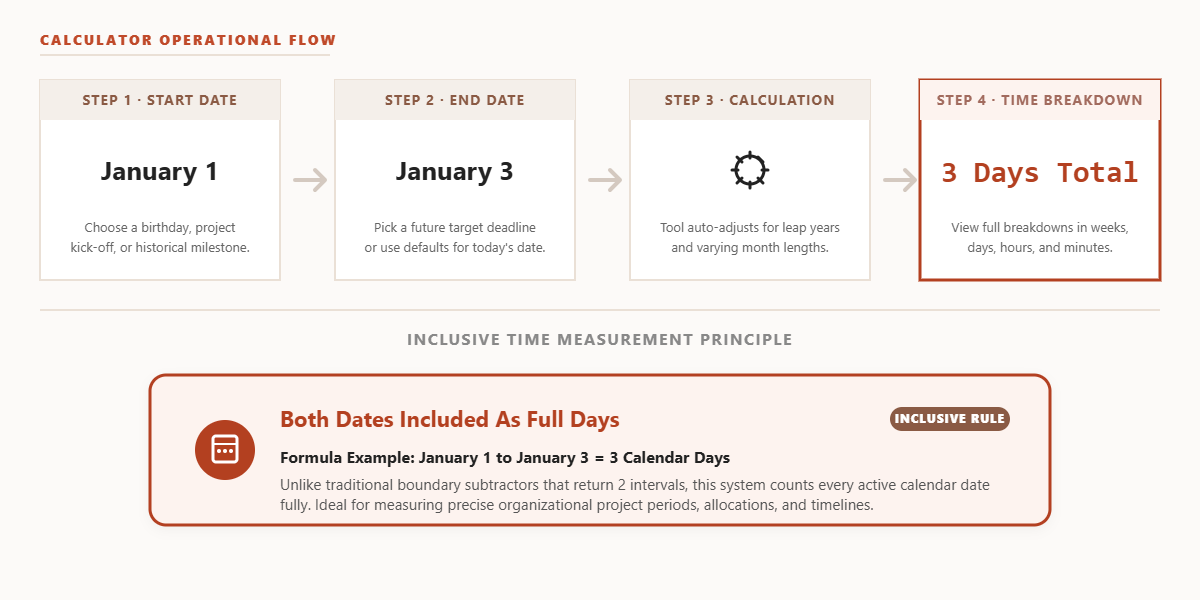
Select your Start Date. Click the first date field and choose the date you want to measure from — this could be a birthday, a project kick-off, or any historical date.
-
Select your End Date. Pick the second date. This is typically today’s date or a future deadline, but any date later than the start date works.
-
Click “Calculate Difference.” The tool instantly computes the full duration, accounting for leap years and varying month lengths — no manual counting required.
-
Read your results. You’ll see the calendar breakdown in years, months, and days, plus totals in weeks, days, hours, and minutes for deeper analysis.
Note that the calculator counts both the start and the end date as full days, so a range of January 1 to January 3 returns 3 days, not 2.
Common Use Cases for a Date Difference Calculator
Whether you’re planning, tracking, or simply curious, knowing the precise gap between two dates is useful in more situations than you might expect.
For use cases focused specifically on a person’s age — such as verifying eligibility by birth date — our Chronological Age Calculator gives you a precise age in years, months, and days based on today’s date. It’s the ideal companion tool when the goal is age verification rather than a general date span.
Frequently Asked Questions
How is the date difference calculated?
Our date difference calculator counts every calendar day from the start date to the end date, including both. It accounts for leap years and the varying lengths of months to provide an accurate breakdown in years, months, and days, as well as precise totals in weeks, hours, and minutes.
Does the calculator account for leap years?
Yes, fully. The calculation engine correctly handles leap years by recognizing February 29 when it falls within the date range. This means your total day count will always reflect the actual number of days on the calendar, not a rounded average.
How many days are in a year for calculation purposes?
Rather than using a fixed average like 365.25 days, this tool counts every individual calendar day in the selected range. This means standard years contribute 365 days and leap years contribute 366 days — giving you a precise total rather than an approximation.
Can I use this for project deadline planning?
Absolutely. Enter your project start date and deadline as the end date to see the full duration in days, weeks, and months. You can also reverse the process — set today as the start date and the deadline as the end date to count exactly how many days you have remaining.